Secure your app (before it goes live)
The friendly checklist that connects your Firebase project and locks it down.
What it is
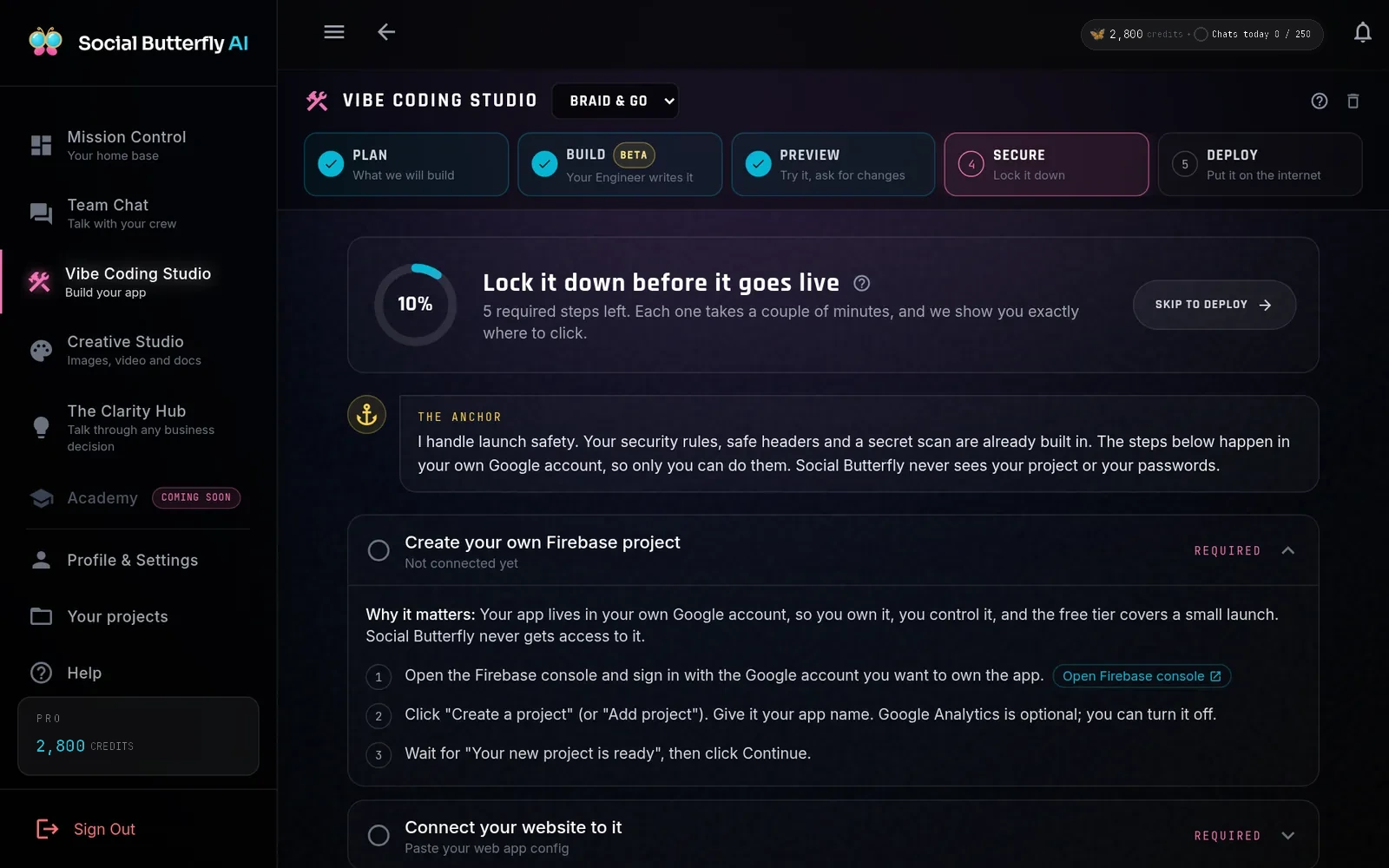
The Secure step in the Vibe Coding Studio has three tabs: Launch Check (automatic), Second opinions (The Auditor and The Anchor; see Launch Check and second opinions), and Your account, a checklist: "Lock it down before it goes live." It makes sure your live app works and that only the right people can see or change your data.
Why it matters
A public app needs locks on the doors, just like a shop. These steps keep your users' information safe.
The checklist
Must do
- Create a Firebase project in the Firebase Console (no charge from Google to create the project).
- Connect a web app and paste the firebaseConfig it gives you into the studio. (This is a public "address card" for your project. It's safe to share; it isn't a password.)
- Turn on Firestore (your app's database).
- Turn on Authentication (sign-in), if your app has accounts.
- Check the security rules ("Who can see and change it"). The studio writes these for you.
- Storage, only if your app saves files. This needs the Blaze pay-as-you-go plan. Set a budget alert.
- Keep secrets out. Never paste passwords or secret keys into your app.
Nice to have
- Brand your Google sign-in screen with your app's name.
- App Check, extra protection against bots.
- Review who has access to your Google Cloud project.
- A budget alert in Google Cloud.
Tips
- Tick items off one at a time. The studio remembers your progress.
- Stuck on a screen in the Firebase Console? Ask The Anchor in Team Chat.
What's next
Related guides
- Going LiveLaunch Check and second opinionsThe automatic test before your app goes live, plus a fresh-eyes review and a safety review from your crew.
- Going LiveGoing live: the big pictureWhat going live means, why your app lives in your own Google account, and what you'll need.
- Going LivePut your app online (deploy)Download your site and publish it to your own Google Cloud, step by step.