The Vibe Coding Studio
Turn your plan into a real website in five steps, no coding needed.
What it is
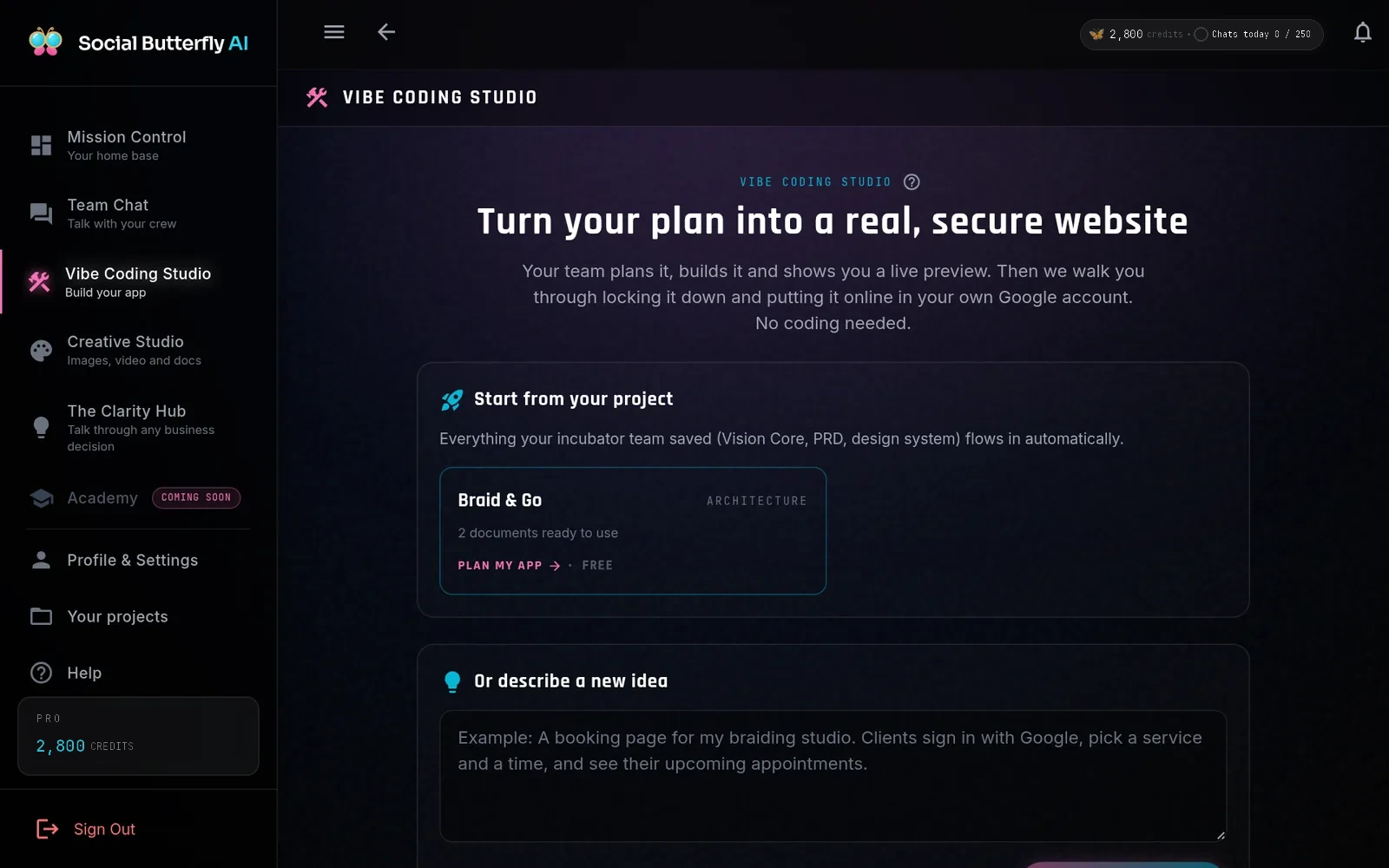
Vibe Coding Studio · Build your app. It turns your plan into a real, working website. Open it from Vibe Coding Studio in the left menu, or from the Go Live step on the quest map. Your team plans it, builds it and shows you a live preview. Then we walk you through locking it down and putting it online in your own Google account. No coding needed.
Why it matters
This is where your idea stops being a plan and becomes something people can click.
The five steps
- Plan: "What we will build." Pick a project (everything your team saved flows in automatically), or describe a new idea. Tap Plan my app. The Architect shows you what's in, what's not in this first version, what it saves and who can see it, and Done means…: a few simple things you'll try in the preview to know it works.
- Plan Approval · your go-ahead. Nothing is built, and no credits are used, until you tap Approve this plan. Not quite right? Tap Ask for changes and type what you want, or tap Edit to change the wording yourself (included). Any change brings the plan back for your okay.
- Once you approve, tap Build it.
- Build: "Your Engineer writes it." (Beta.) This takes about 2 to 4 minutes. You can leave the page open; your work is saved automatically. If a build fails, your credits come back.
- Preview: "Try it, ask for changes." Click around your app. Sign-in and saving are simulated here, so you can click everything. Try each Done means… check and tick it. Want something different? Type it in Ask The Engineer for a change.
- Secure: "Lock it down." Three tabs: the automatic Launch Check, Second opinions from The Auditor and The Anchor, and Your account, the checklist that connects your own Firebase project. See Launch Check and second opinions and Secure your app.
- Deploy: "Put it on the internet." Download your site and publish it to your own Google Cloud. If the Launch Check found something that would break your site, the download waits until it's fixed. See Put your app online.
The activity trail
Tap Trail at the top of the studio to see who on your crew did what, and when: the plan, your approval, each build and change, the Launch Check and the reviews. Handy to show a client or an investor.
What it costs
- Plan: 25 credits. Your first plan is included.
- Build: 50 credits.
- Each change: 40 credits.
- Included: approving or editing your plan, the Launch Check, and both second-opinion reviews.
With credits you can plan, build and preview. Downloading your site and deploying it is part of the paid plans, starting with Starter.
Tips
- Not sure what to build yet? Tap Not sure yet? Shape it with your team in Team Chat first.
- Ask for one change at a time. It's clearer for The Engineer, and easier for you to check.
- You never need to edit the code yourself.
What's next
Related guides
- Going LiveLaunch Check and second opinionsThe automatic test before your app goes live, plus a fresh-eyes review and a safety review from your crew.
- Going LiveSecure your app (before it goes live)The friendly checklist that connects your Firebase project and locks it down.
- Going LivePut your app online (deploy)Download your site and publish it to your own Google Cloud, step by step.