Meet your crew
The eight AI specialists on your team, what each one does, and when to call them.
What it is
Your crew is a team of eight AI specialists. Think of them like a small startup team that is always awake and never judges your questions.
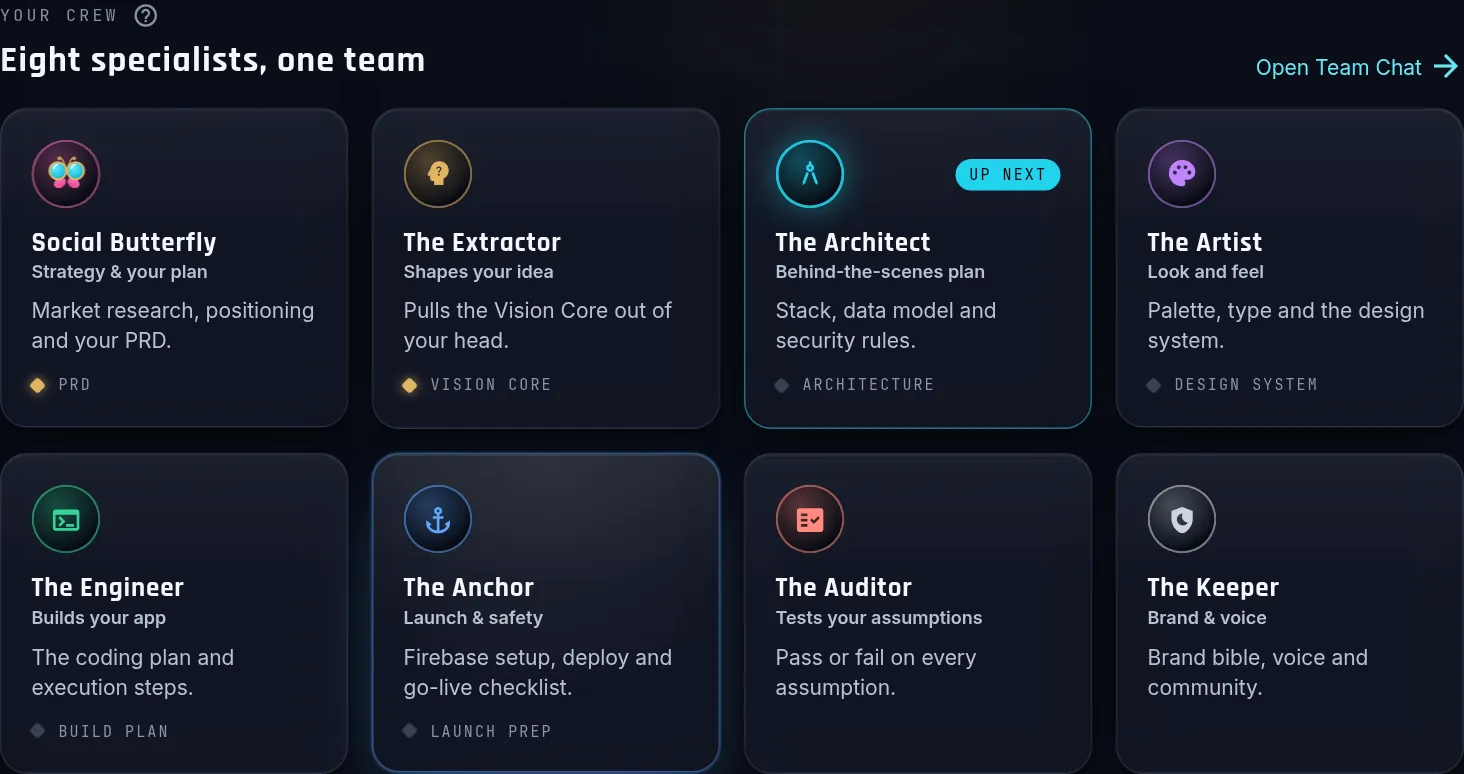
The eight crew members
| Crew member | Their job | Ask them about |
|---|---|---|
| Social Butterfly | Strategy & your plan | Market research, positioning, your product plan (PRD), and big-picture strategy. She's also your guide around the app. |
| The Extractor | Shapes your idea | Pulling the idea out of your head and into a clear Vision Core. |
| The Architect | Behind-the-scenes plan | The tech stack, how your data is organized and the security rules. |
| The Artist | Look and feel | Colors, fonts and the look and feel of every screen (your design system). |
| The Engineer | Builds your app | The step-by-step build plan, and building your app in the studio. |
| The Anchor | Launch & safety | Firebase setup, putting your app online and the go-live checklist. |
| The Auditor | Tests your assumptions | Testing your assumptions. Pass or fail, with honest reasons. |
| The Keeper | Brand & voice | Your brand bible, voice and community. |
Why it matters
Each crew member is focused on one job, so their answers go deeper than a general chatbot. They also share your dossier (your saved Vision Core, PRD and documents), so you don't have to repeat yourself. Add your Founder File and they'll know you too.
Steps
- Tap any crew card on Mission Control, or pick a crew member at the top of Team Chat.
- Ask your question in plain words.
- When one step is done, the crew hands off to the next person for you.
Tips
- Not sure who to ask? Ask Social Butterfly. She'll point you to the right person.
- The Current quest card on Mission Control always opens the right crew member for your next step.
What's next
Learn how Team Chat works.
Related guides
- Meet Your CrewTeam ChatChat with your crew, see your saved dossier, and understand your chat allowance.
- Meet Your CrewTalk to the Crew (voice, beta)Have a live spoken conversation with your crew. It's in beta and uses credits per minute.
- Your Quest MapYour Quest MapThe seven steps from idea to live app, what each one is for, and who leads it.