Team Chat
Chat with your crew, see your saved dossier, and understand your chat allowance.
What it is
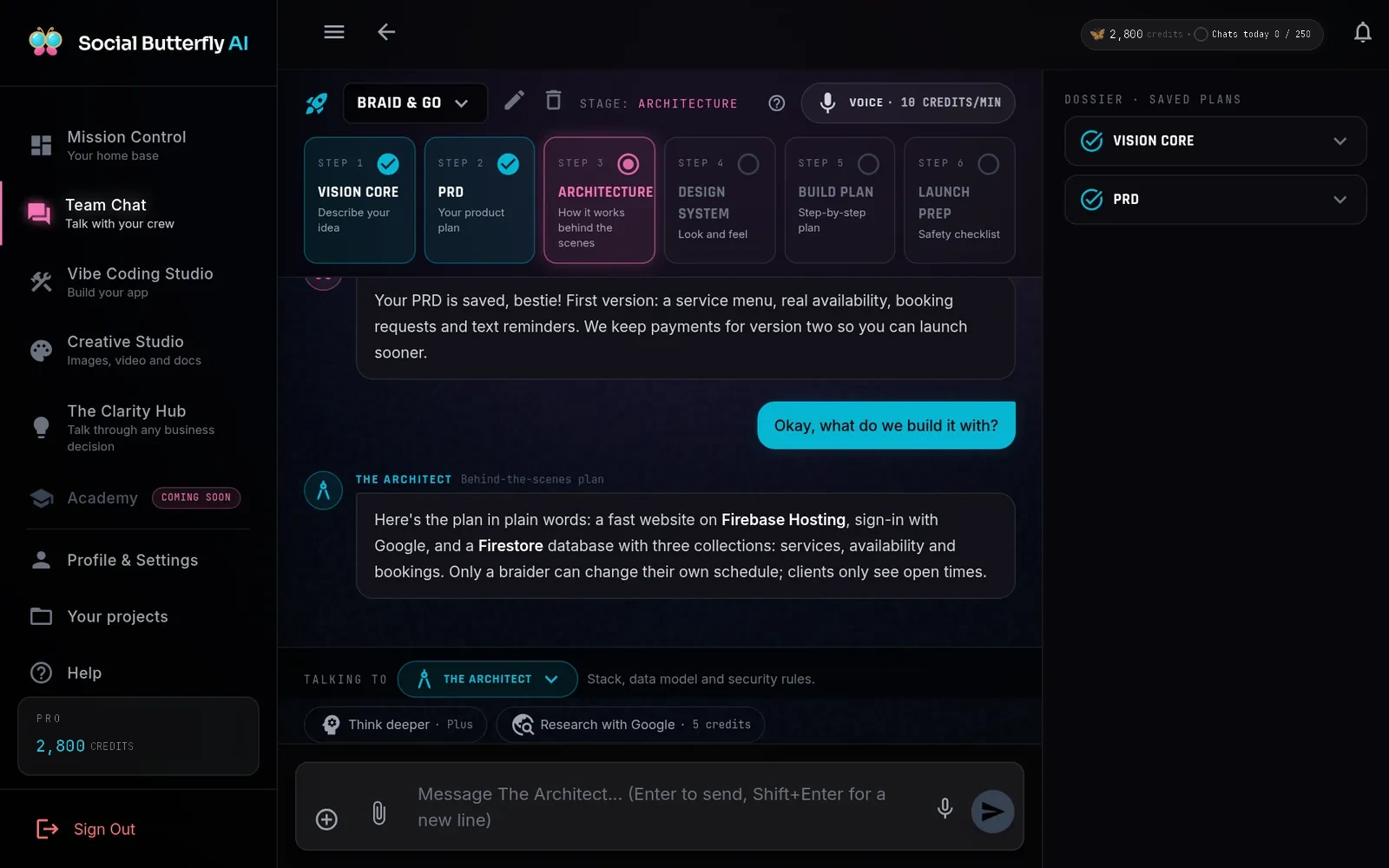
Team Chat is where you talk with your crew about one project (one idea). Open it from Team Chat in the left menu.
Why it matters
This is where the real work happens. As you chat, the crew saves what matters (your Vision Core, PRD and other plans) to your dossier, so it's never lost.
The parts of the screen
- Project menu (top): switch between projects, start a new one, rename or delete. See Your projects.
- Stage bar: shows where you are on your Quest Map.
- Crew picker: choose who you're talking to.
- Messages: your conversation. Crew members sign their replies.
- Dossier (right side, or the dossier button on a phone): everything saved so far. On a brand new project it says "Nothing saved yet."
- Message box: type, then send. Extra options:
- 📎 Attach an image so the crew can see it (+1 credit).
- Think deeper for tougher questions (Starter plan and up).
- Research with Google for live web facts with sources (5 credits).
Chat allowance
No card needed to start. A new account can have one first look, two Designer revisions, and 10 conversation turns. After that, choose a plan or grab a $9 pack. Paid plans include a daily chat allowance:
- Starter: 100 a day · Pro: 250 a day · Ultra: up to 1,000 a day
Your 🦋 counter at the top shows what's left on a paid plan. If you hit a paid plan's daily number, you can wait for the reset, or keep chatting for 1 credit per extra chat. See I ran out of chats.
Tips
- One project per idea keeps your dossier tidy.
- When your project is launch ready, a card appears: "Build and deploy it in the Vibe Coding Studio." Your PRD and documents come with you.
- Deleting a project removes it from your studio, but we keep it for 30 days in case you change your mind. A site you already put online stays online.
What's next
Try talking to the crew out loud, or see your Quest Map.
Related guides
- Meet Your CrewMeet your crewThe eight AI specialists on your team, what each one does, and when to call them.
- Credits & PlansWhat things cost (credit list)The full list of credit costs, from conversation turns to app builds.
- Troubleshooting & FAQI ran out of chatsWhat happens when you reach your chat allowance, and your options.