Mission Control: your home base
A tour of your home screen, from the quest map to the crew cards.
What it is
Mission Control is the first screen you see after signing in. Tap Mission Control in the menu any time to come back.
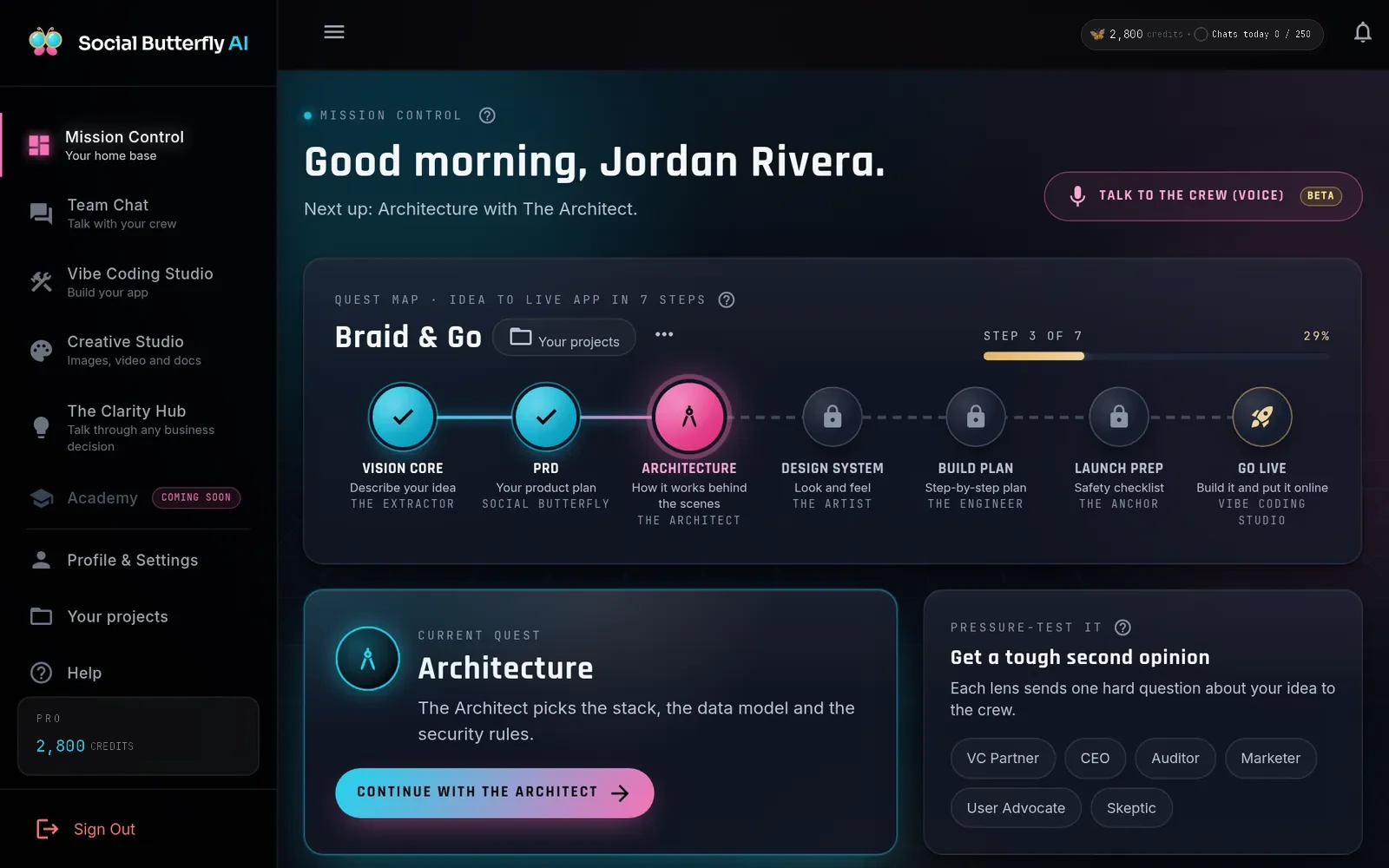
What's on it, top to bottom
- Your greeting and next step. It always says what's next, like "Next up: Vision Core with The Extractor."
- Talk to the Crew (voice) (Beta). This starts a live voice conversation. See Talk to the Crew.
- The Quest Map. Your project's journey in seven steps, each with a plain subtitle. Finished steps light up. See Your Quest Map. Next to the project name, Your projects lets you switch, start a new one or delete one. See Your projects.
- Current quest. A big card for the one thing to do now. Tap it and the right crew member picks it up with you. If you're starting a project, this is the Start here · "What are we building?" box with a Start Building · Send my idea to the crew button.
- Pressure-test it · Get a tough second opinion. Six lenses that look at your idea from a new angle. See Pressure-test lenses.
- Your Founder File (until you add one). A small card inviting you to tell the crew about you. See Your Founder File.
- Your crew. Eight cards, one per specialist, each with their job in plain words. Tap a card to talk to them. The one marked Up next leads your next step.
- Creative Studio · Images, video and docs. Quick buttons for images, video, photo edits, Analyze a doc, Video to content and the go-to-market planner.
- More. What's New, Academy (coming soon), My Tasks, Report a bug, Support and Take the tour.
Tips
- Feeling overwhelmed? Only look at the Current quest card. That's the one next step.
- The menu on the left (or the ☰ button on a phone) takes you everywhere else. Each item has a short subtitle that says what it's for.
- When you sign in, a Welcome back card shows the project you were on, all your projects and what's new. Close it any time, or tick Don't show this at login.
What's next
Related guides
- Your Quest MapYour Quest MapThe seven steps from idea to live app, what each one is for, and who leads it.
- Getting StartedShare your first ideaGet your first real answer from the crew in under a minute.
- Meet Your CrewMeet your crewThe eight AI specialists on your team, what each one does, and when to call them.